3/26/2025
I don’t configure DNS Proxies very often, but the other day I found it necessary for one of our deployments. As the title suggests, I was using a SonicWall that was running OS version 7.1.3-7015. Naturally, to avoid any appliance specific mistakes I chose to review SonicWall’s documentation guide on configuring a DNS Proxy for any SonicWall firewall running OS 7.x.x. This should include version 7.1.3 but I unfortunately stumbled on some discrepancies.
SonicWall’s guide displays the following options for DNS Proxy configurations.
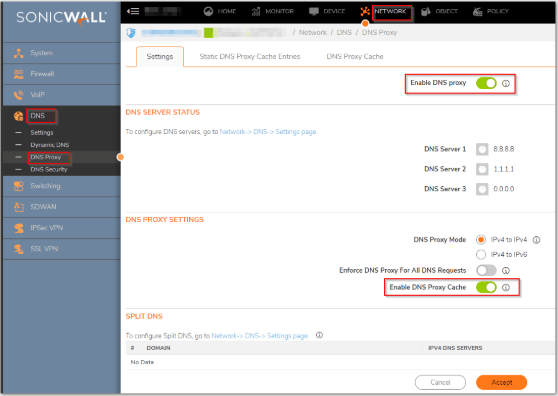
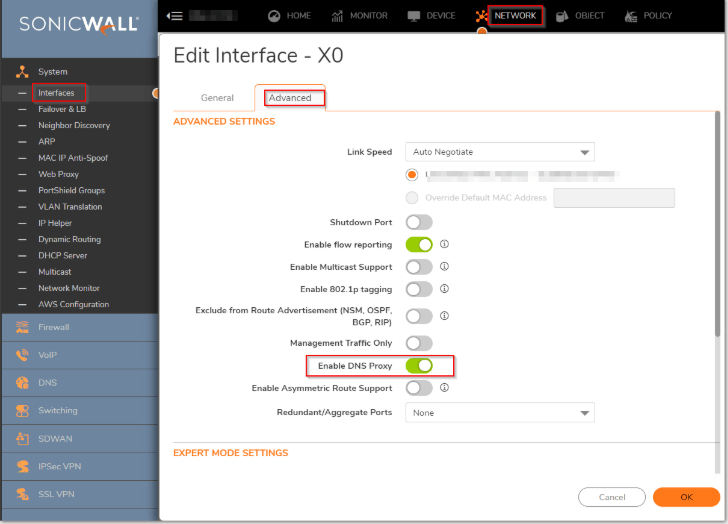
However, the option to ‘Enable DNS Proxy’ is no longer an option on either of these pages in SonicOS 7.1.3-7015. Instead, follow the steps below.
Step 1. Navigate to /Network/DNS/DNS Proxy settings in your appliance as shown and enter your custom DNS servers, and enable ‘Enforce DNS Proxy for All DNS Requests.’
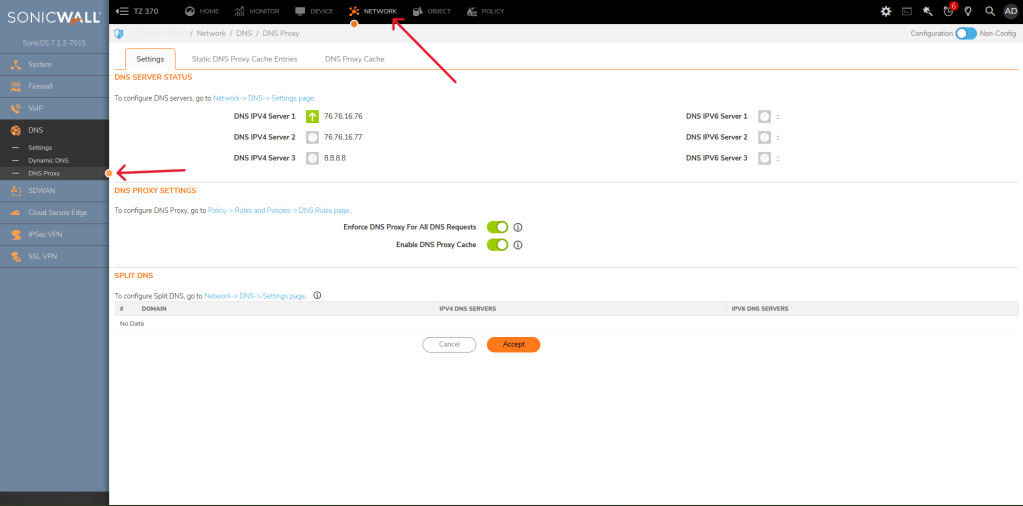
Step 2. Next, navigate to /Policy/Rules and Policies/DNS Rules and configure a rule that displays the following.
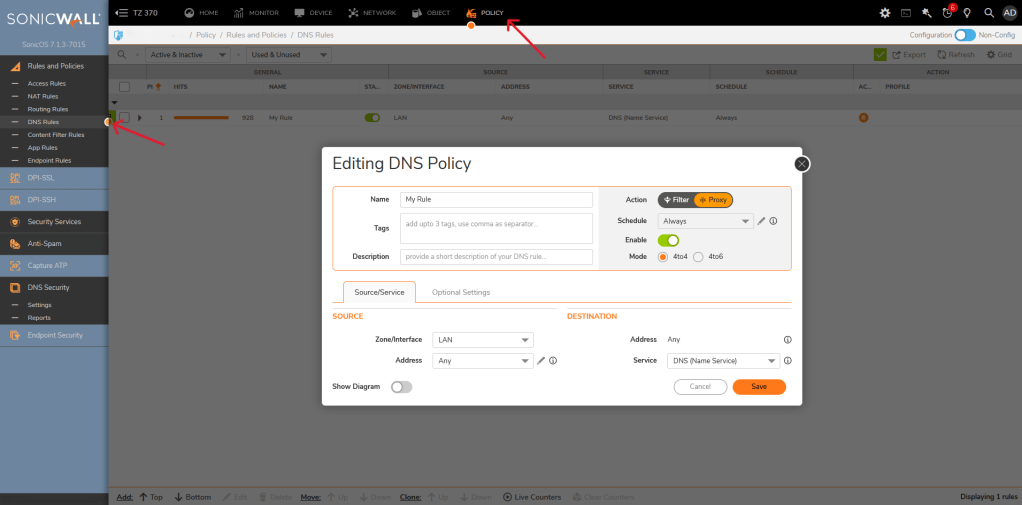
Note: If you are running your DHCP server on your SonicWall appliance and have an Active Directory server internally make sure to configure custom DNS in your DHCP server scope to still provide internal devices with your Active Directory server’s internal IP address. If you have DHCP running on an internal server no changes are necessary.
And that’s it! I’m sure SonicWall will provide an updated guide in the near future, but for the time being I hope this helps.
 Zach's Technical Knowledge Base
Leave a comment