March 23, 2025
If you’re like me and like trying new things you might have switched over to Microsoft’s “New” Outlook. If that’s the case then you might have run into an issue where you lose access to an email account you had previously signed into, and it’s now asking you to sign back in. The problem with this is, when I ran into this issue I had deleted the email address signed in previously and would never be able to sign back in. Unfortunately, I was also unable to get around the prompt in any way. This left Outlook completely useless, and Microsoft was less than helpful. Fortunately, I was able to resolve this issue with a simple command which I have listed.
Step 1. Open a run dialog by hitting the Windows key + r
Step 2. Type in olk.exe –clearLocalState
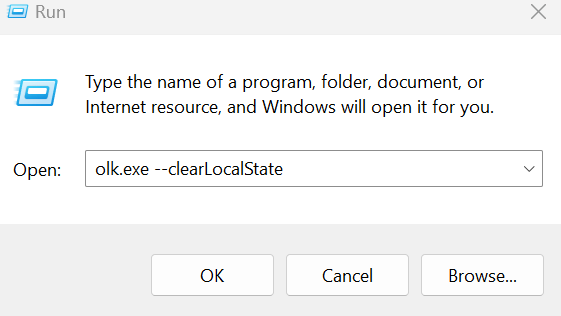
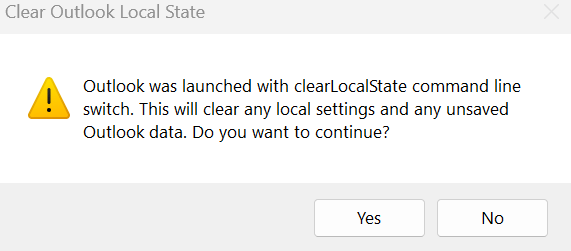
Step 3. The following prompt will appear to which you will select Yes. Please note that this will clear all Outlook profiles in New Outlook and upon reopening you will be prompted to add a new account.
And that’s it! I struggled with this issue for hours before coming to this resolution, so I hope this helps in saving you some time!
 Zach's Technical Knowledge Base
Leave a comment